"Additional Nesting Layer: I'd love the ability to add one more level of organization"
r/thingsapp, What's in your wishlist for Things?
A project inside a project.
Areas hold projects, a project can hold projects, and every project has sections.
For Things 3 users
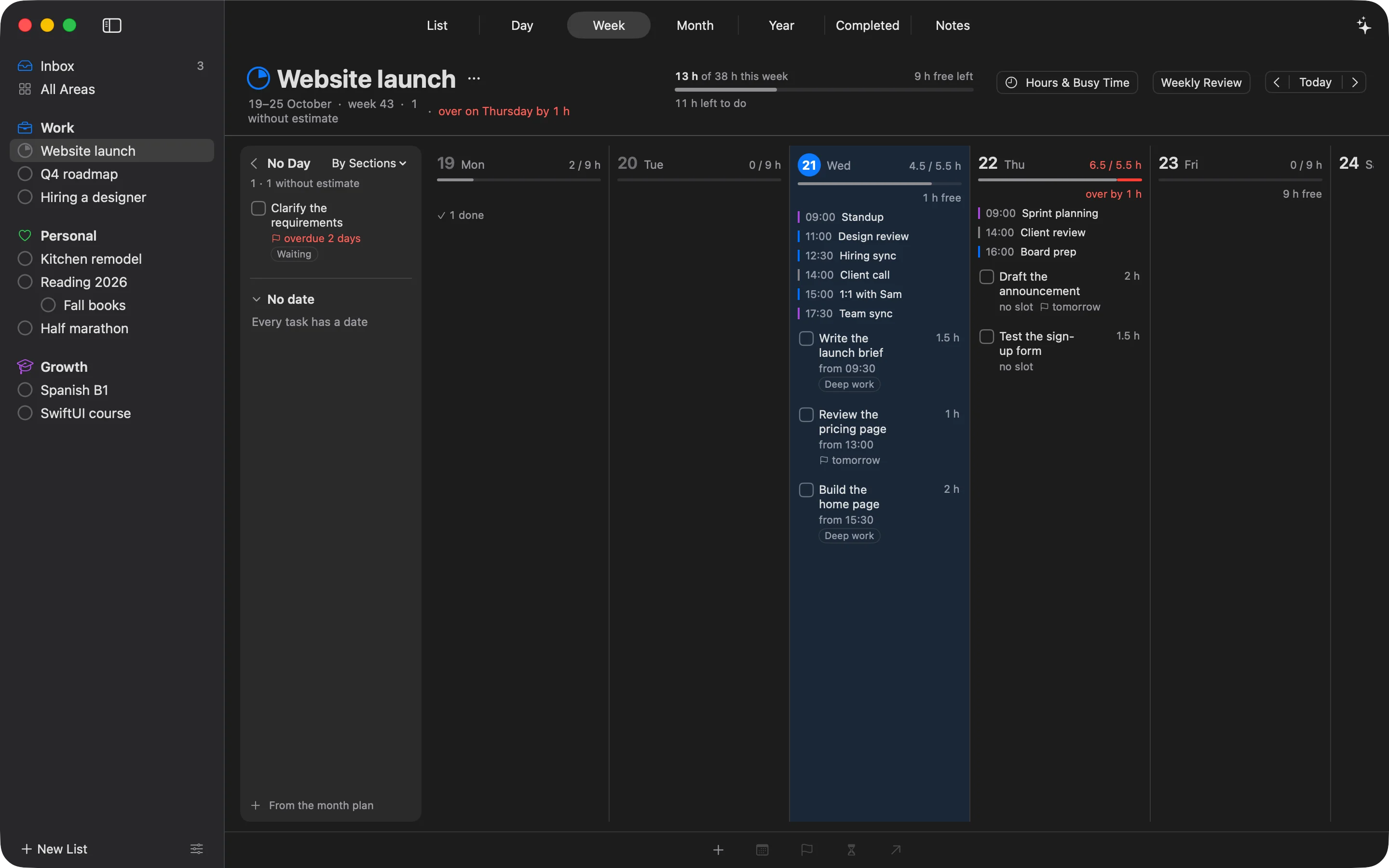
Hours in Today. Morning, Afternoon and Evening. A This Week list. Tasks and meetings on one timeline. Claude and Codex. A native Mac planner that keeps the Things keys you know, in private beta.
You asked. We built it.
"Everyday it's like 20-30 tasks in Today. I can't really understand how realistic ... the workload"
r/thingsapp, Time blocking / Grouping by time
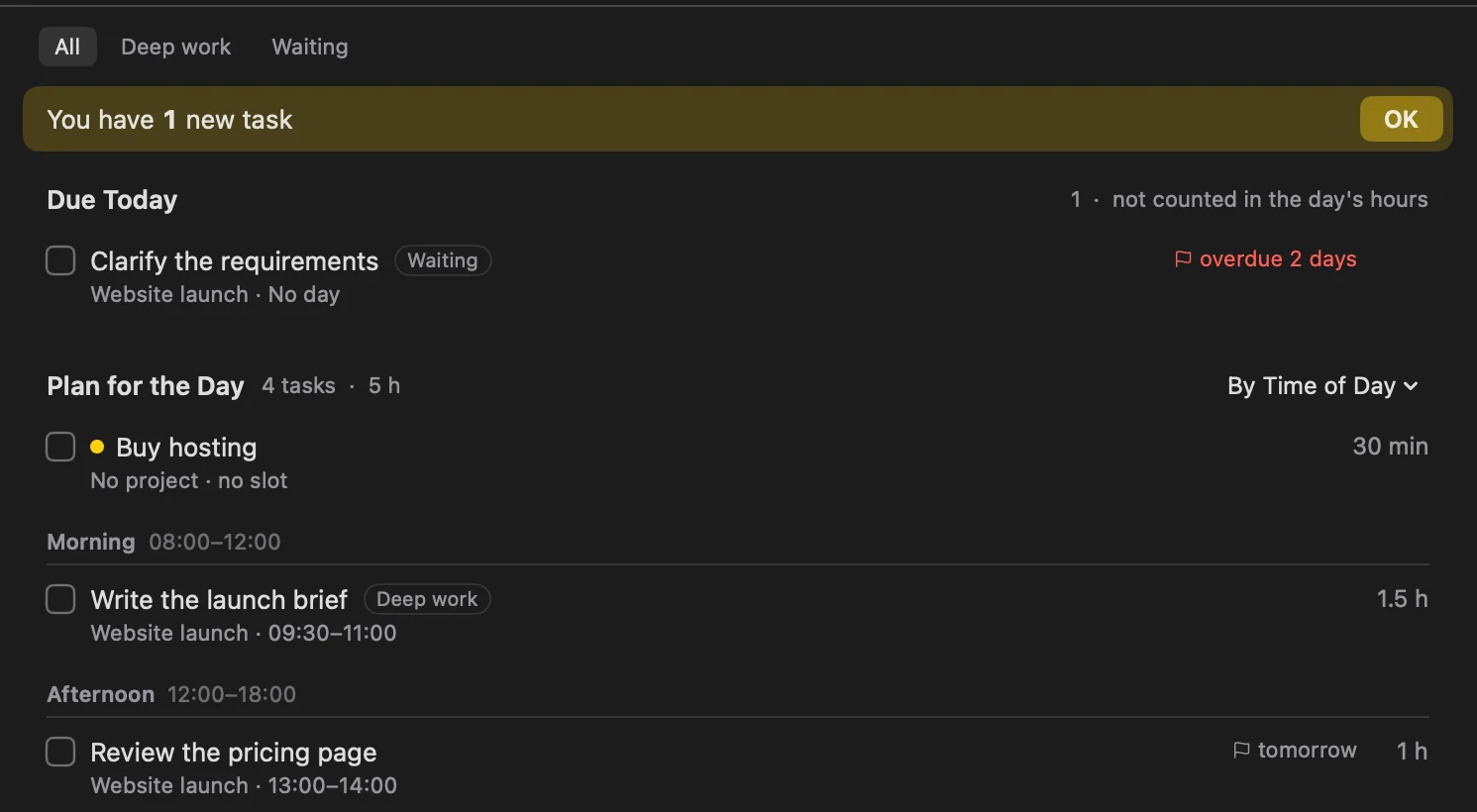
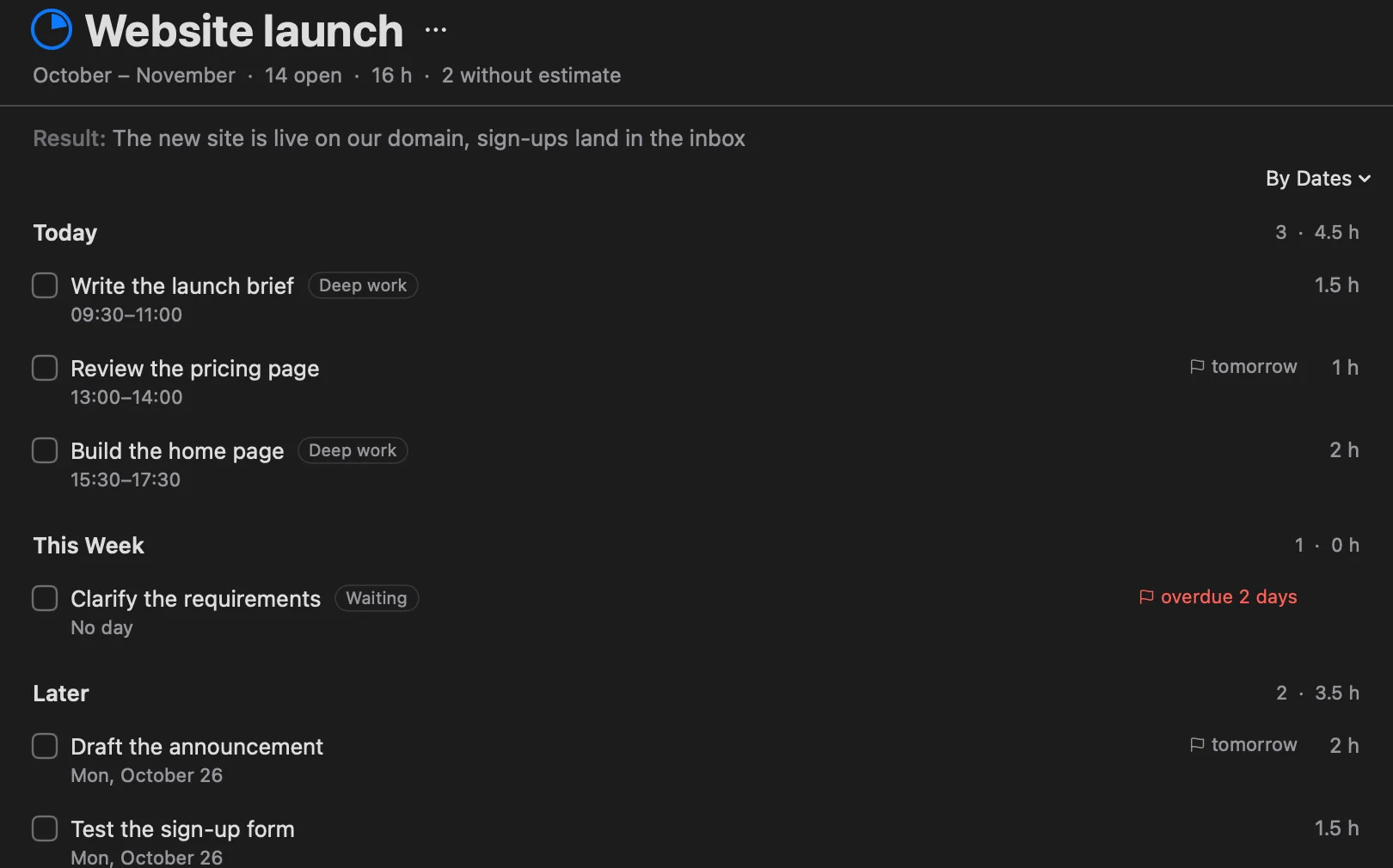
Give each task an estimate. Every day adds them up against your working window minus meetings, such as 4.5 h of 5.5 h available. When a day or a week runs over, ALT marks it red and says by how much.
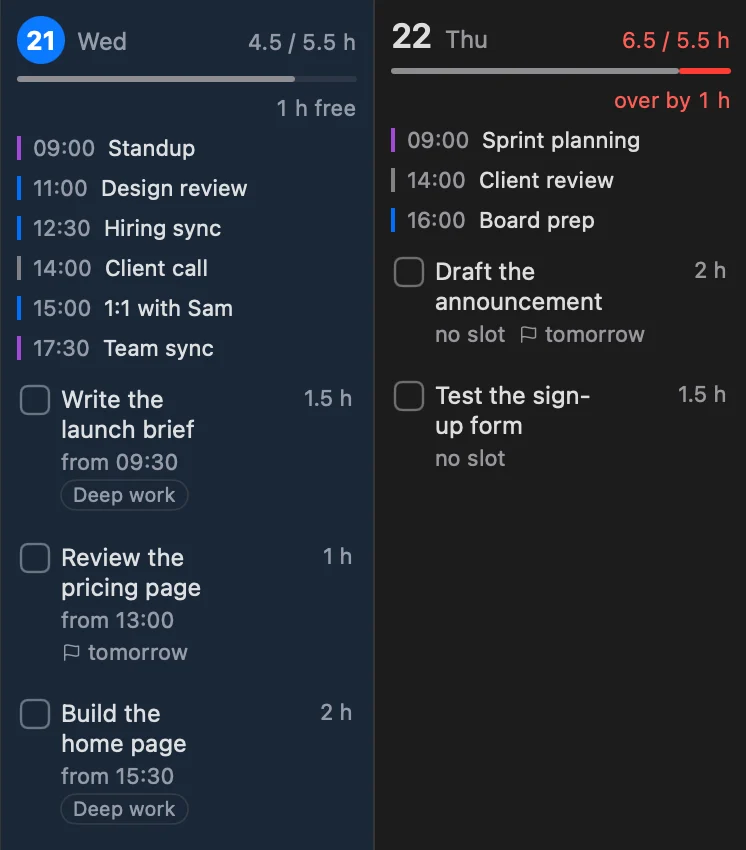
"We really need Morning, Afternoon, Evening sections within Today."
r/thingsapp, Time blocking / Grouping by time
Group the day's plan by time of day. Drag a task into Morning, Afternoon or Evening without picking an exact time, or give it a block on the timeline between your meetings.
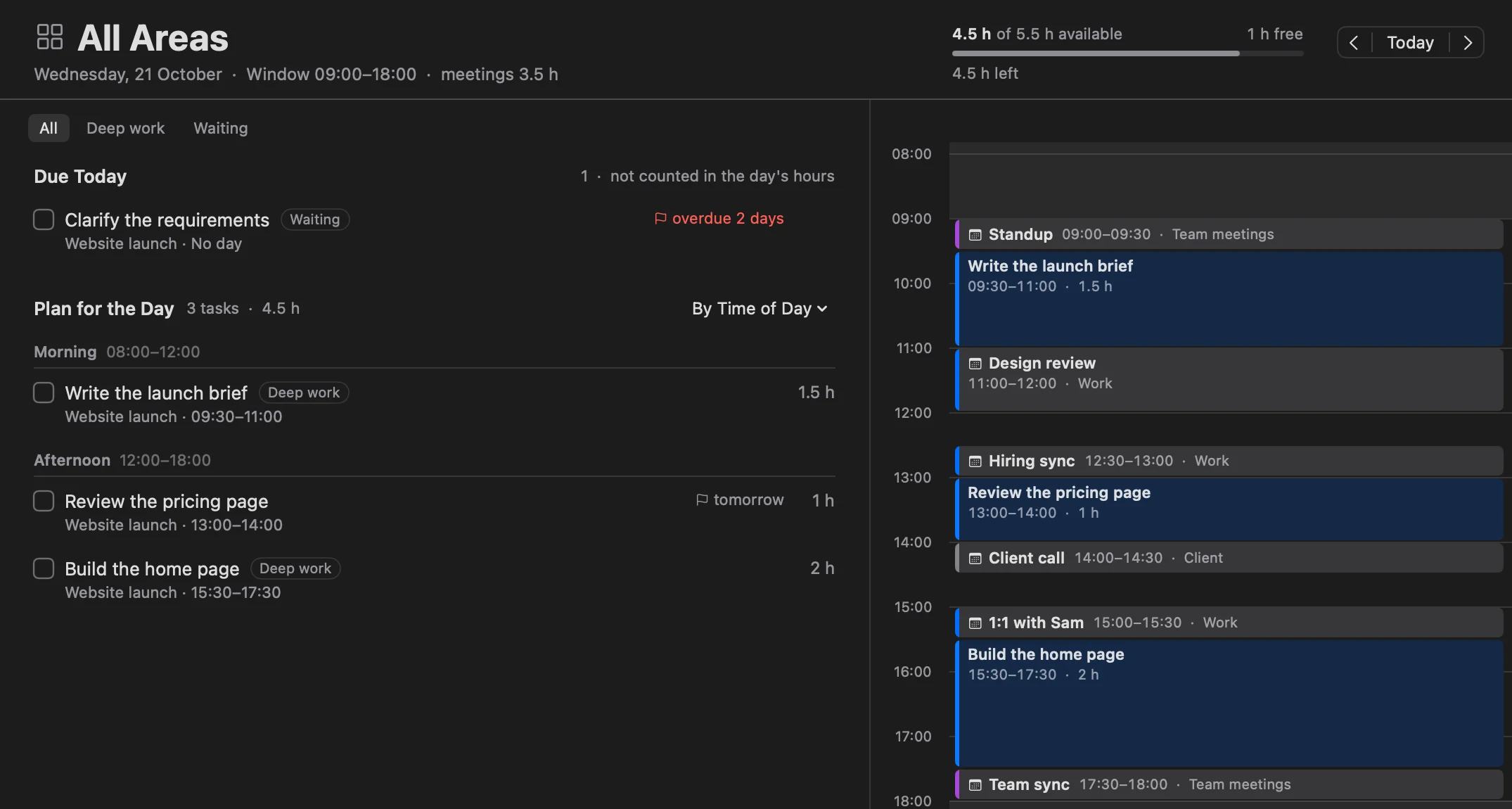
"2-way sync with calendars to allow for time-blocking"
r/thingsapp, List of things, Things 4 should have
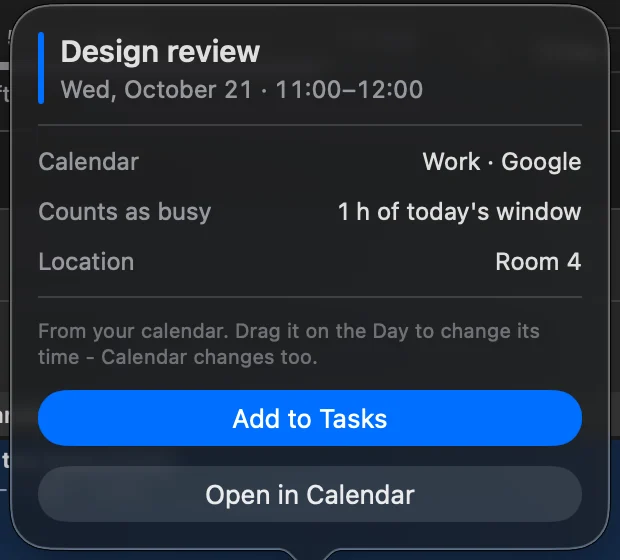
ALT reads the calendars in Apple's Calendar app, including iCloud, Google and Outlook. Move a meeting on your day, and it moves in Calendar too; ⌘Z puts it back. Pick a calendar for an area, and its blocks of tasks show there as busy events. Need time to prepare? Add to Tasks turns a meeting into a task.
"I wish it had a This Week list, where I just plan what I want to get done through the whole week without assigning specific days."
r/thingsapp, Things 3 is beautiful, but what do you wish it did better?
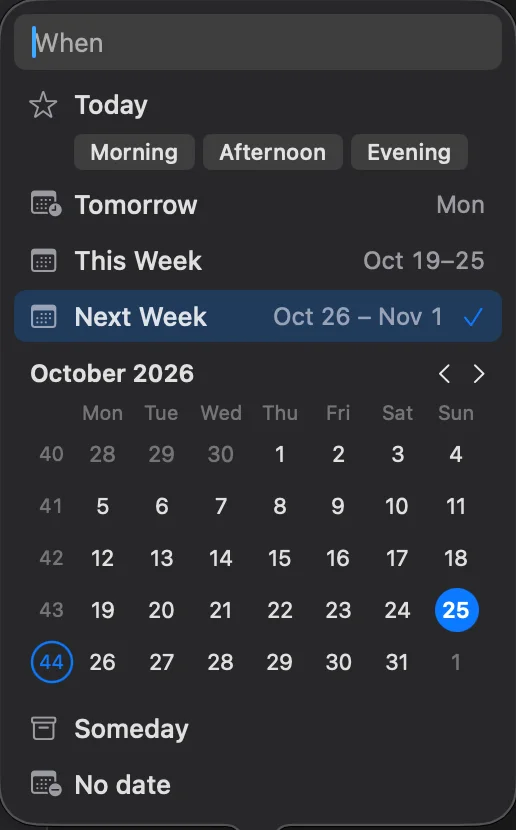
Pick This Week or Next Week in When, or type "next week". The task shows under This Week in its project and waits in the week's No Day column until you drag it onto a day.
"I need to talk to my task lists using AI"
r/thingsapp, Things 4 needs to come ASAP
ALT runs a local MCP server on your Mac. Claude Code and Codex read and change your tasks, projects and notes, and can lay out a day in blocks. New tasks get a dot, and Undo takes any change back. It works while ALT is running. How it works
"it generates an HTML page with a preview of what it proposed"
r/thingsapp, Claude Code + Things 3
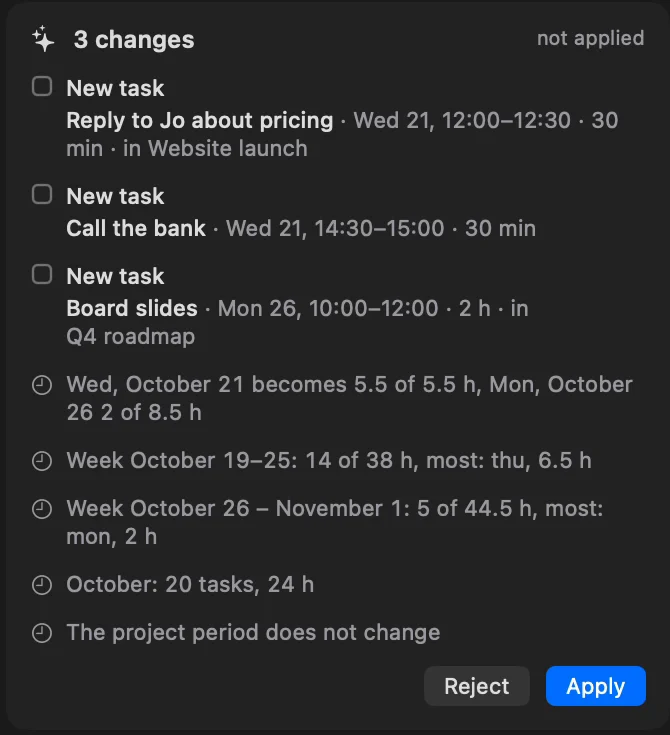
Tell the ALT chat what's on your plate, typed or dictated. It shows a card with each task's time and what that does to the day's hours. Nothing changes until you tap Apply. Batches from Claude Code and Codex wait for Apply the same way.
"Natural language, please God"
r/thingsapp, What's in your wishlist for Things?
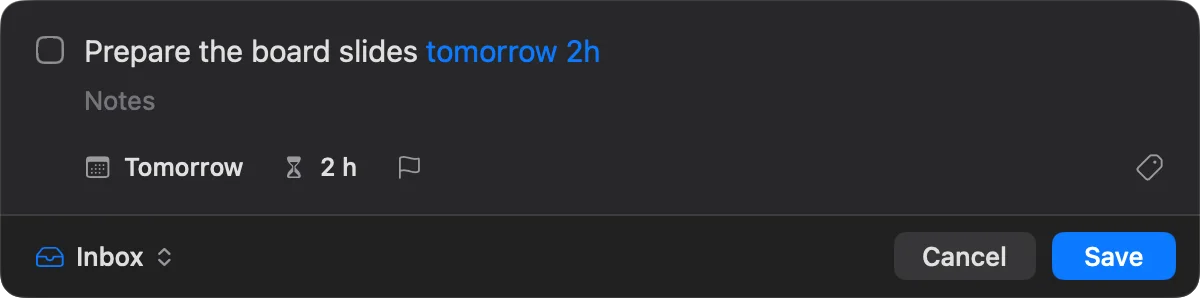
Quick Entry opens over any app with ⌥Space. End the name with "tomorrow 2h", and ALT sets the day and the estimate. ⇧⌥Space brings the open page, email or file along as a link.
"the lack of a proper time visualisation ... is the WORST and weakest part"
r/thingsapp, Upcoming vs Calendar View
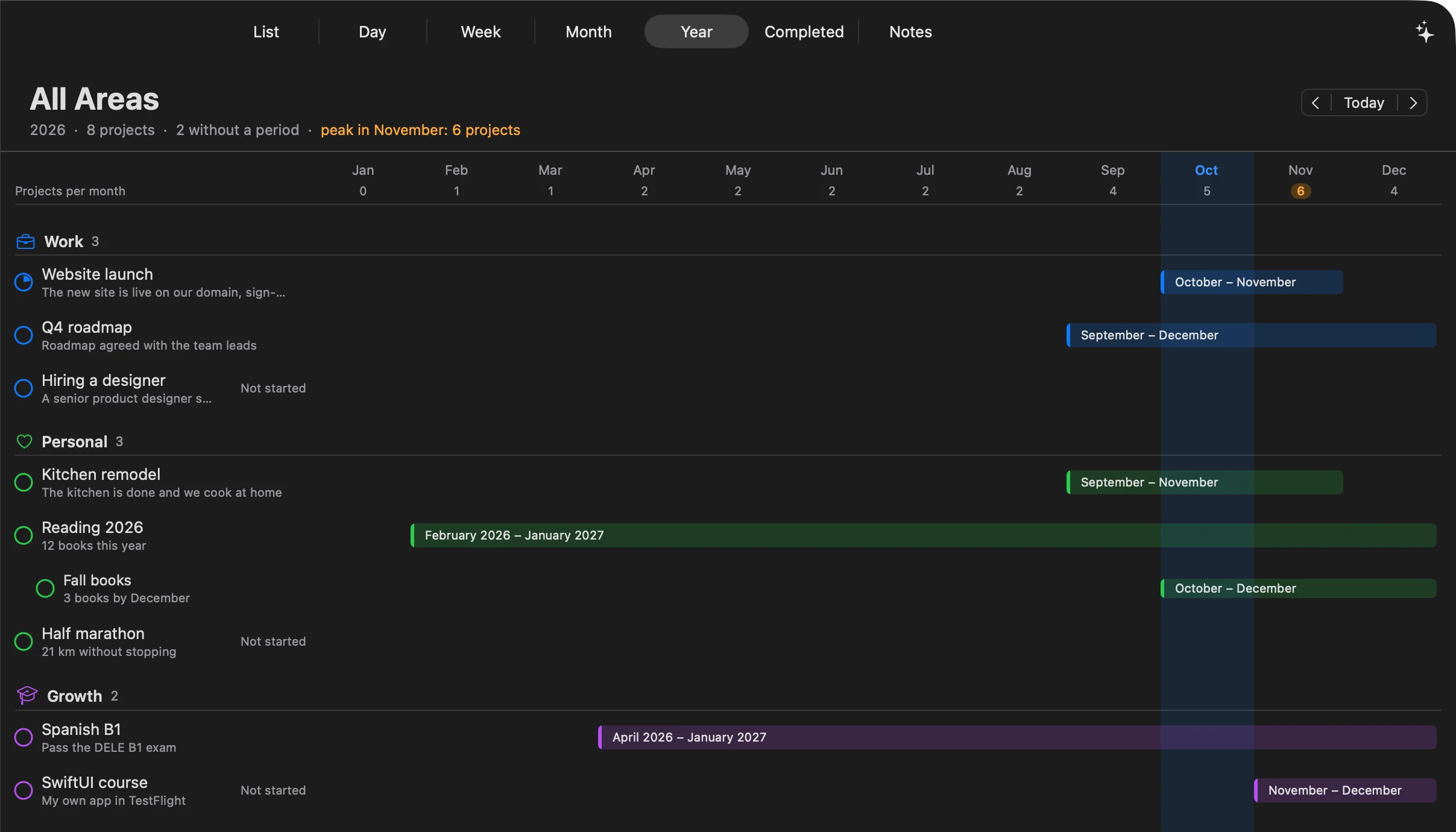
Zoom out from the day: seven days with their hours, a month with its weeks, and a year with every project's months on one ribbon.
"Guided rituals for daily and weekly planning."
r/thingsapp, What's in your wishlist for Things?
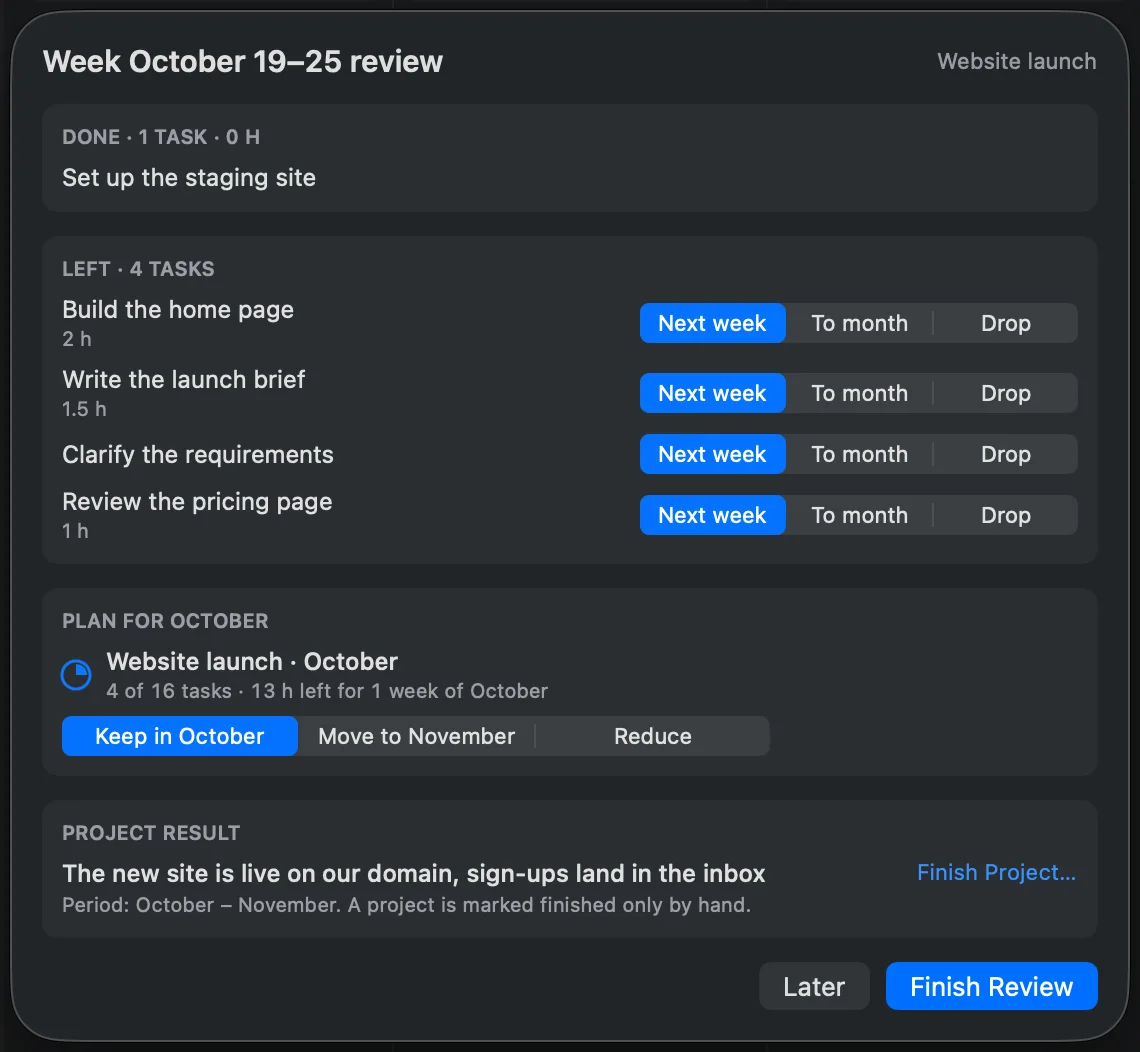
Yesterday's unfinished tasks move to today, and Review sends each one to the week, off the day or done. Weekly Review shows what got done and what's left: next week, the month, or drop it.
"Additional Nesting Layer: I'd love the ability to add one more level of organization"
r/thingsapp, What's in your wishlist for Things?
Areas hold projects, a project can hold projects, and every project has sections.
"End-to-end encryption. I just can't and won't use an app today without it."
r/thingsapp, What's in your wishlist for Things?
There's no ALT account and no ALT server, so we don't have a copy of your plan. The chat sends only what it needs, straight to the AI provider of your key. Your data and privacy
"just looks a cluttered mess. I much prefer to have them separate"
r/thingsapp, on tasks inside a calendar
Hours and the timeline live in Today. Lists, the Inbox and projects stay calm, with the habits you have from Things:
Next on the roadmap: ALT on iPhone and iPad, in sync, and moving over from Things.
Not yet. Moving over from Things is next on the roadmap, and you can vote for it there.
For the chat, yes, during the beta: it runs on your own Anthropic, OpenAI or OpenRouter key. Hours, calendars, Quick Entry, the reviews, and Claude Code or Codex over MCP work without it.
A Mac with macOS 14 Sonoma or later.
The beta is free. ALT will have paid plans after the beta, and beta testers will get special terms. Details are on the Pricing page.
Mac first, iPhone and iPad next. We let testers in by small groups, in the order they sign up.
Join the beta