
Notes live in the project, next to its tasks.
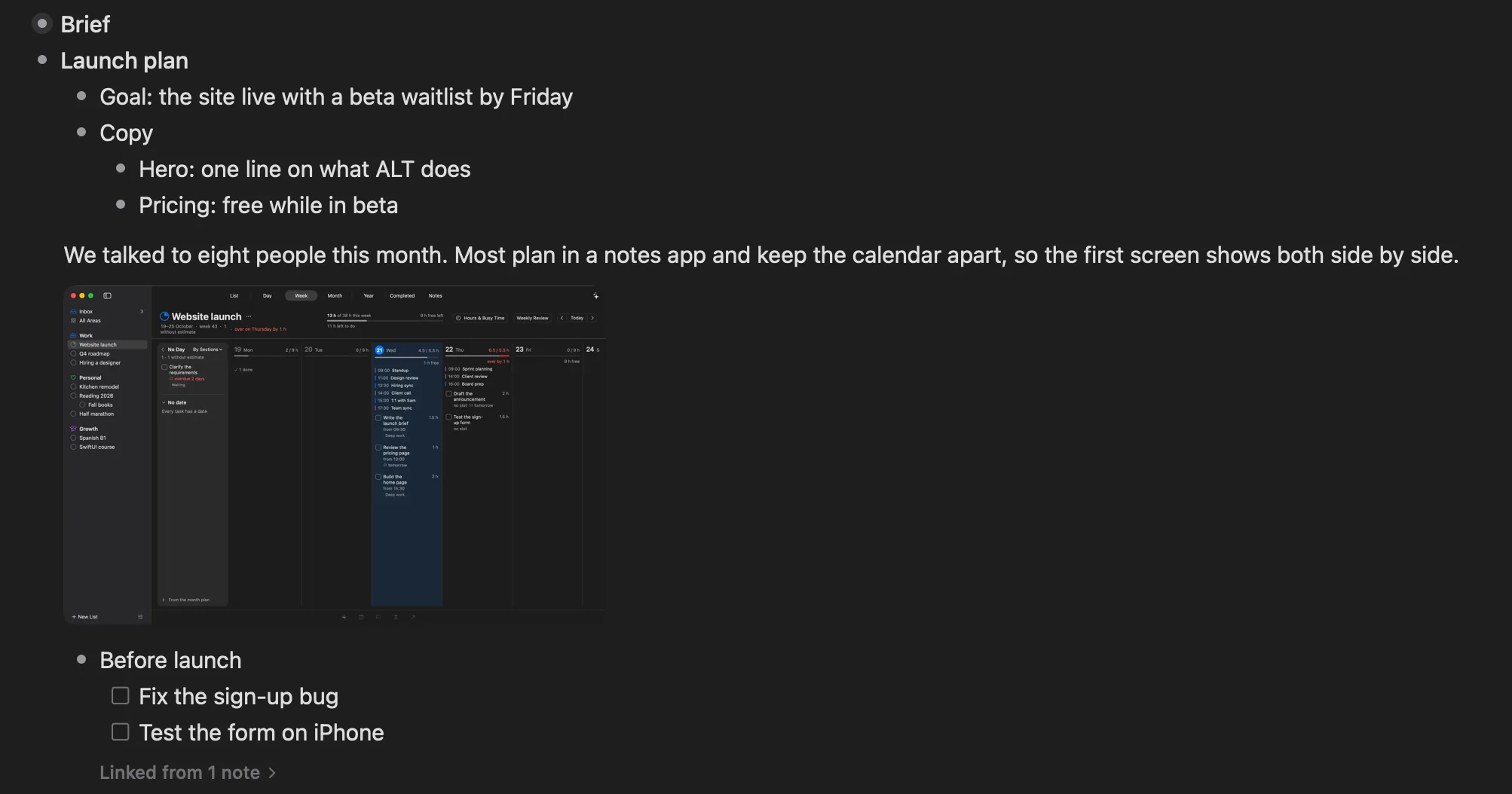
Open a project and press ⌘8. Its notes are an outline you type like in Workflowy: Return makes the next line, Tab nests it. Paragraphs read as one text, and pictures sit as wide as the text.
Switching from Notion
ALT is a planner with a knowledge base inside. Every project has its notes as an outline, a folder of notes turns into a table, and each day starts with its own note above your tasks. It's a native Mac app, and everything stays in a database on your Mac, so it opens without the internet. In private beta.
"Notion slows down my Mac and crashes on browser"
Post in r/ObsidianMD, May 2026
"what is the point of offline mode if I needed to be online"
Post in r/Notion, October 2025
"I just want a simple and versatile note taking app"
Post in r/Notion, September 2026
Open a project and press ⌘8. Its notes are an outline you type like in Workflowy: Return makes the next line, Tab nests it. Paragraphs read as one text, and pictures sit as wide as the text.
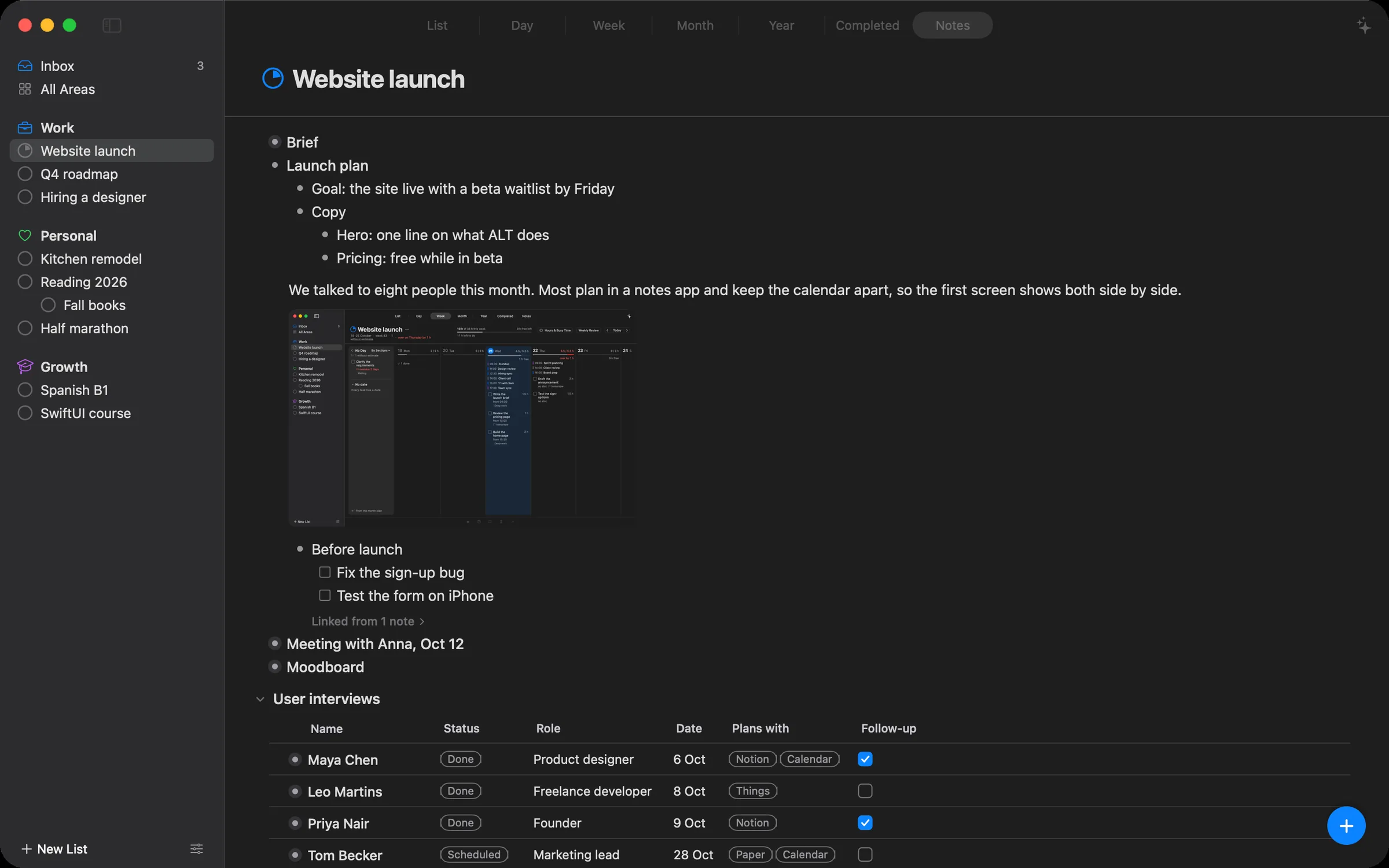
Show as Table makes each note a row and your fields its columns: text, number, date, checkbox, select, multi-select, link, email and phone. Sort, filter, group and hide columns, and the table keeps them. A row's dot opens the note as a page.
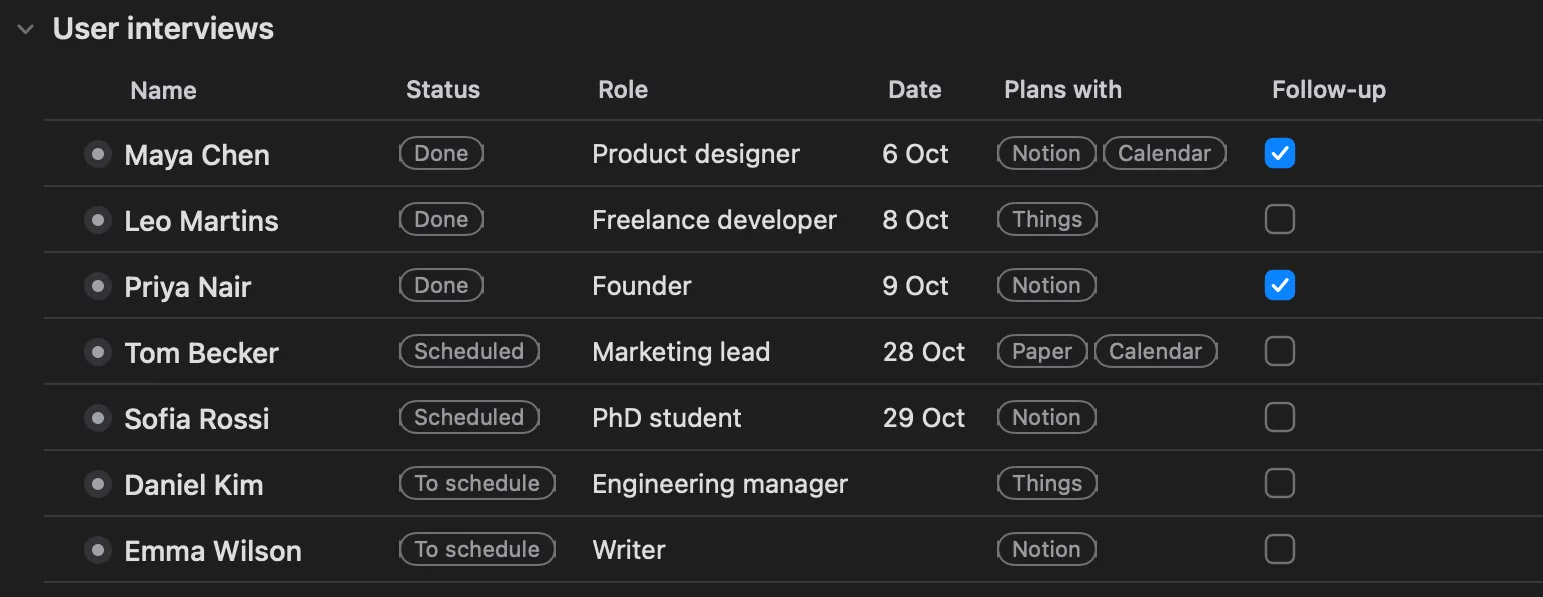
The Day opens with its note for thoughts and results, and the day's tasks follow below it. Every day's note stays in the Days folder.
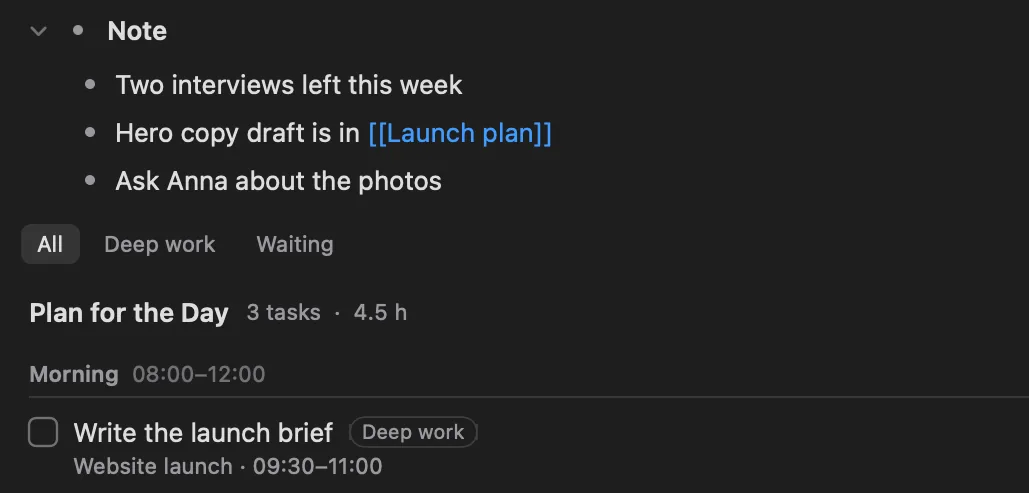
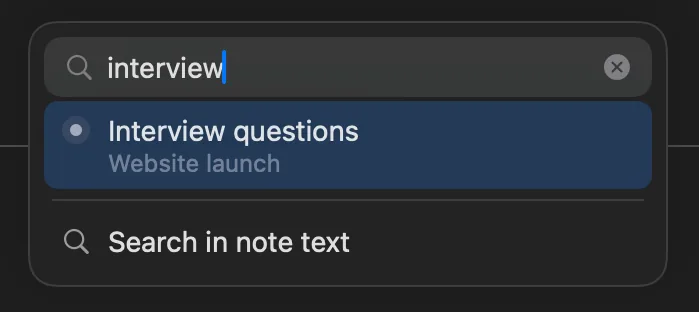
Notes come up by name, and Search in note text finds every line with the word. Type [[ and a note's name to link it. Under each note, Linked from 3 notes shows which notes point to it.
Notes, tables and your plan live in a database on your Mac, not on our server. There's nothing to mark for offline: it's all already here, and we don't have a copy. Only the assistant needs a connection.
ALT is built for the Mac with SwiftUI and AppKit, not a website in a window. Notes take the keys of Workflowy, and tasks take the keys of Things.
Notes and tables work without AI. The chat runs on your own Anthropic, OpenAI or OpenRouter key and changes a note only after you tap Apply. Claude Code and Codex connect to ALT on your Mac to search, read and add to your notes.
File → Export Notes to Markdown writes every note as an .md file, in folders by area and project, with its pictures and its table fields as properties.
Notes and your day
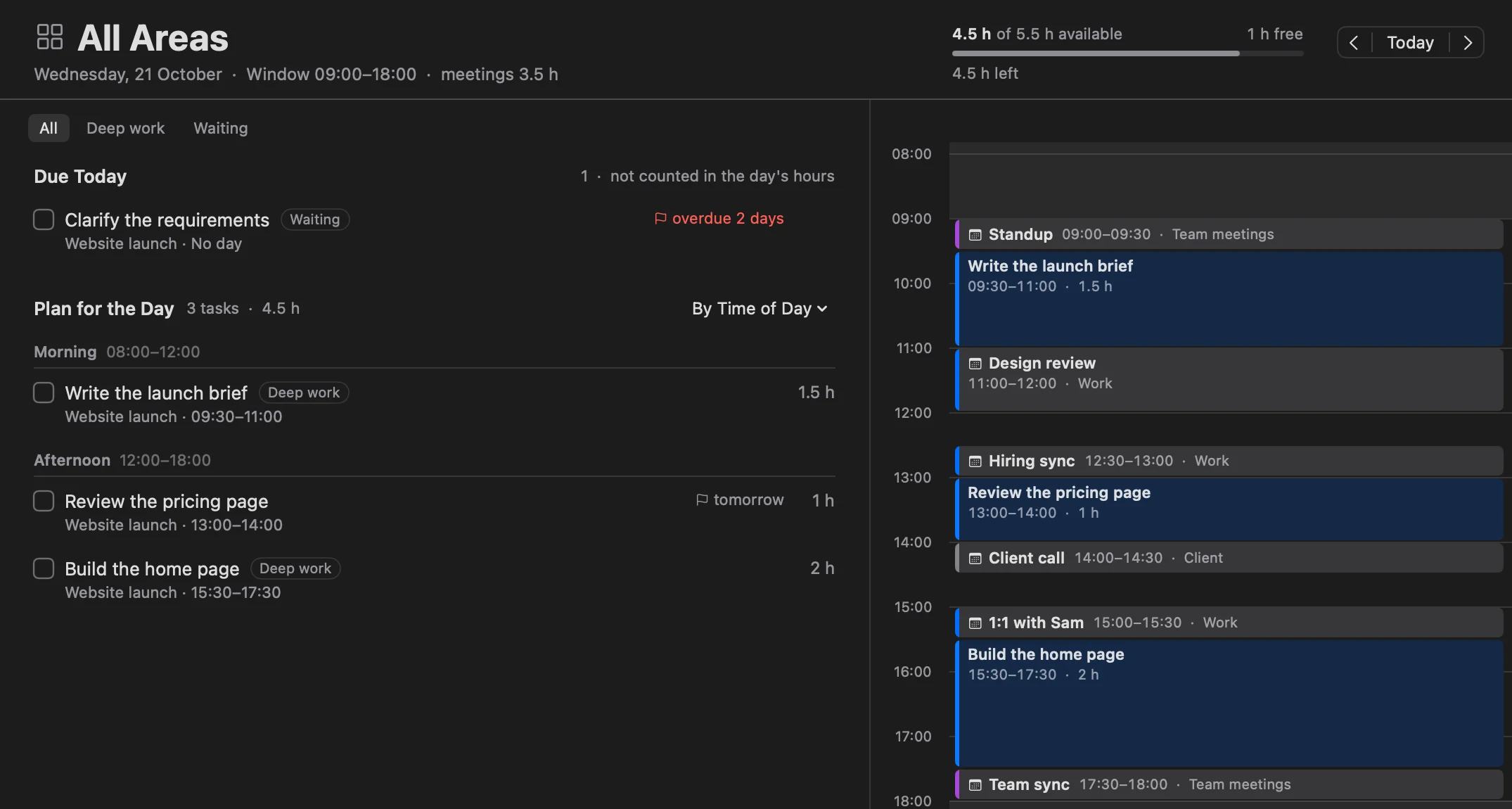
A project's notes are one key away from its tasks. Turn a meeting into a task with Add to Tasks, drag tasks onto the day's timeline between your meetings, and see planned hours against the hours you have. When a day or a week runs over, ALT shows by how much. Time blocking in ALT
| What matters | Notion | ALT |
|---|---|---|
| Mac app | Electron, by its Mac installer. [1] | Native, SwiftUI |
| Without the internet | Pages you mark Available offline; paid plans also keep recent and favorite pages. A database keeps the first 50 rows of its first view. Not in the browser. [2] | Everything. Notes, tables and your plan are on your Mac; only the assistant needs a connection. |
| Where your notes live | Notion's cloud, with offline copies on your devices. [2] | A database on your Mac. We don't have a copy. |
| Notes | Pages of blocks; type "/" to insert one. [3] | An outline, as in Workflowy, with paragraphs and pictures. |
| Databases | Table, board, calendar, gallery, list and chart views, with relations, rollups and formulas. [4] [11] [12] | A folder of notes as a table: nine field types, sort, filter and group. Boards come next. |
| Tasks on a timeline with your meetings | In Notion Calendar, a separate app. No planned hours against the hours you have. [5] | Yes, in Today, with planned hours against the hours you have. |
| AI | Notion AI. The full agent is on the Business plan. [6] [7] | Optional. Your own Anthropic, OpenAI or OpenRouter key; changes only after you tap Apply. |
| Claude and Codex over MCP | A remote server, on every plan. [8] | A server on your Mac. |
| Devices | Apps for Mac, Windows, iOS and Android, and the browser. [1] [9] | Mac now. iPhone and iPad join the beta next. |
| Price | Free plan. Plus is $10-12 a month per member. Checked October 21, 2026. [7] | Free during the beta. |
Choose File → Import from Obsidian... and pick your vault folder.
Folders go to the areas and projects with the same name. A folder where notes share properties becomes a table.
Only new and changed notes come over. Your files stay where they are.
ALT doesn't import from Notion yet. Import is coming: your pages as notes and your databases as tables.
Coming Soon
Not yet. Import from Notion is coming. Today ALT imports Markdown notes from an Obsidian vault, with their properties as table fields.
Yes. Notes, tables and your plan are in a database on your Mac, so they open and change without a connection. Only the AI assistant needs the internet.
On your Mac. We don't have a copy. File → Export Notes to Markdown writes every note as an .md file whenever you want.
Mac with macOS 14 Sonoma or later. iPhone and iPad join the beta next. There's no Windows or web version.
No. Notes, tables and planning work without AI. For the assistant, use your own Anthropic, OpenAI or OpenRouter key.
ALT is free while in beta. Paid plans come later, with special terms for beta testers. See Pricing.
Join the beta, and we'll write when your place opens. See everything ALT does on Features.
Notion's pages were checked on October 25, 2026; its Mac installer and prices on October 21, 2026. Posts are from Reddit.